
 Image 1 of 1
ab Advanced Visualiser HOA Pro
Coming November!
A complete visualiser for all your Immersive projects!
-
ab Advanced Visualiser HOA Pro is an advanced three-dimensional audio analysis tool designed to explore, understand, and visualise every aspect of your immersive soundfield, supporting First through Seventh Order Ambisonics.
Featuring 14 powerful visualisers within a fully customisable modular workspace, it provides detailed insight into spatial energy, loudness, directionality, phase coherence, transients, and frequency distribution.
Go beyond conventional analysis with Brush Mode, allowing you to draw custom regions of your soundfield for precise spatial and spectral examination. Combine real-time audio analysis with video, including 360° footage, and explore your soundfield through interactive 2D and 3D visualisations.
With a dedicated standalone application, real-time OSC output, and seamless DAW integration, ab Advanced Visualiser HOA Pro bridges the gap between immersive audio analysis, visual production, and interactive experiences.
-
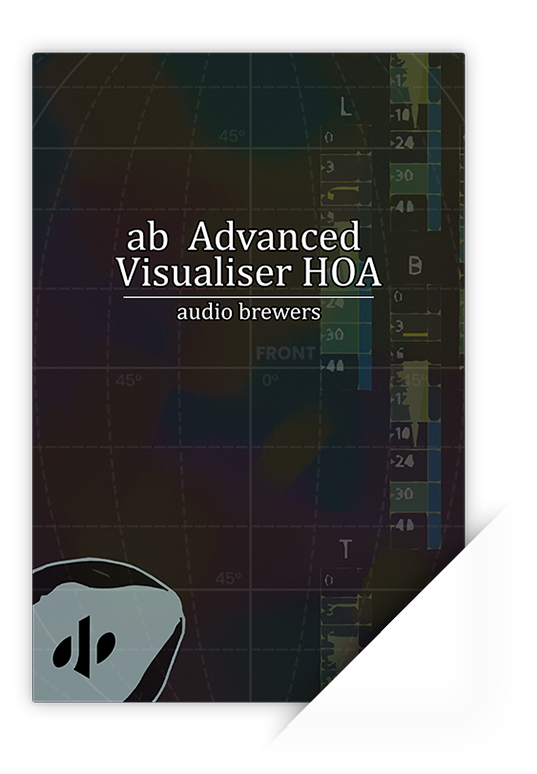
Introducing ‘ab Visualiser HOA’, our cutting-edge tool for three-dimensional sound visualization. This state-of-the-art Higher Order Ambisonics Visualiser is designed to elevate your audio experience by providing a precise visualization of your Ambisonics signals.
With ‘ab Visualiser HOA’, you’ll achieve perfectly balanced audio thanks to its multiple ways to visualise the sound distribution in your soundfield. Dive deep into your soundscapes with the energy visualiser, offering detailed analysis for each dimension, which allows for meticulous sound design.
Understand the way sound dominates amongst each of the three dimensions to get a visual grasp on its behaviour, a great tool for positioning Ambisonics Microphones before recording!
Conduct thorough loudness analysis with the dimensional loudness analyser, featuring a True-Peak, Peak, and RMS analyser specific to each dimensional pole, providing unparalleled accuracy.
‘ab Visualiser HOA’ adapts to your Ambisonics signal automatically, meaning that you can feed any Ambisonics signal from 1st through 7th order (1OA through 7OA*) without the need to set anything up!
‘ab Visualiser HOA’ is completely passive, meaning that your sound will be analysed without being touched or modified in any way.
‘ab Visualiser HOA’ also comes with a ‘smart troubleshooting’ algorithm, which will check your signal chain and let you know if something is wrong with it.
| Feature | Basic | Pro |
|---|---|---|
| Number of Visualisers | 4 | 14 |
| Soundfield Visualisers | ||
| RMS | ✅ | ✅ |
| Onset | ❌ | ✅ |
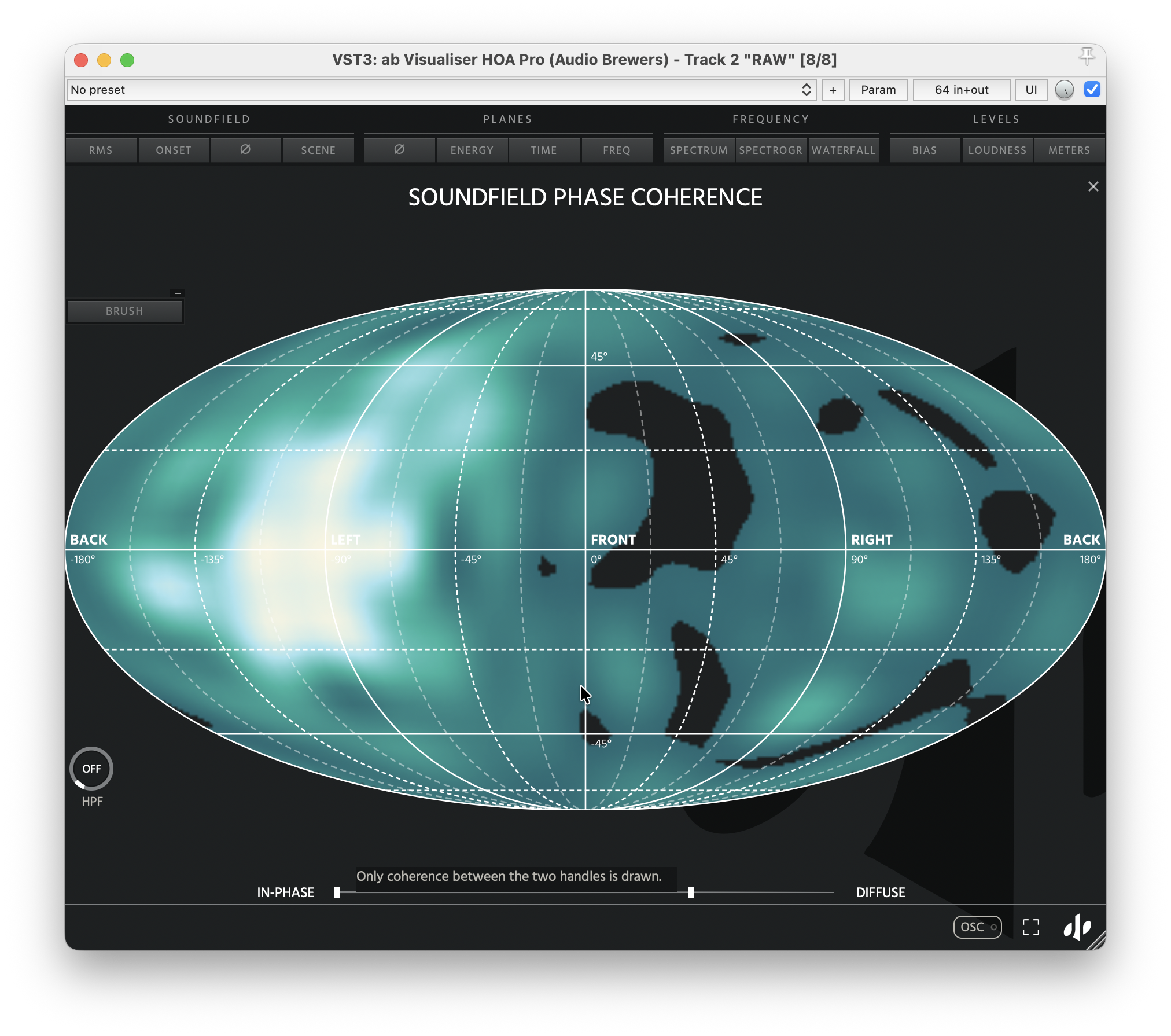
| Phase Coherence | ❌ | ✅ |
| Scene | ❌ | ✅ |
| Planes Visualisers | ||
| Energy | ✅ | ✅ |
| Time | ❌ | ✅ |
| Phase Coherence | ❌ | ✅ |
| Frequency | ❌ | ✅ |
| Frequency Visualisers | ||
| Spectrum | ❌ | ✅ |
| Spectrogram | ❌ | ✅ |
| Waterfall | ❌ | ✅ |
| Levels Visualisers | ||
| Bias | ✅ | ✅ |
| Loudness | ✅ | ✅ |
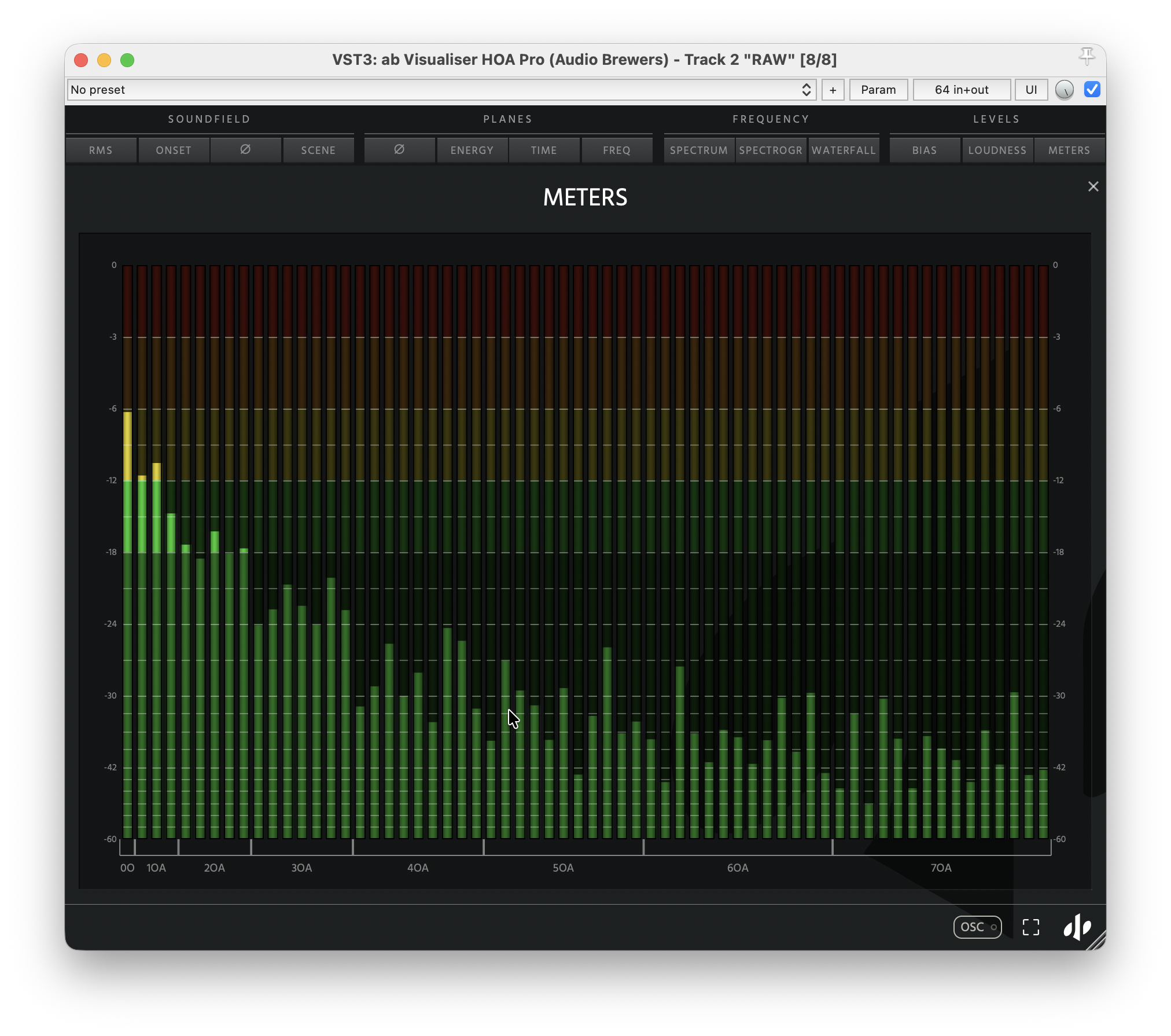
| RAW Ambisonics Meters | ❌ | ✅ |
| Additional Features | ||
| Modular Interface | ❌ | ✅ |
| Brush Mode (Custom Spatial Regions) | ❌ | ✅ |
| Video Support (Including 360°) | ❌ | ✅ |
| Interactive 3D/360 Scene | ❌ | ✅ |
| Standalone Application | ❌ | ✅ |
| Real-Time OSC Output | ❌ | ✅ |
| Compatibility | ||
| Formats | VST3, AU, AAX | VST3, AU, AAX, Standalone |
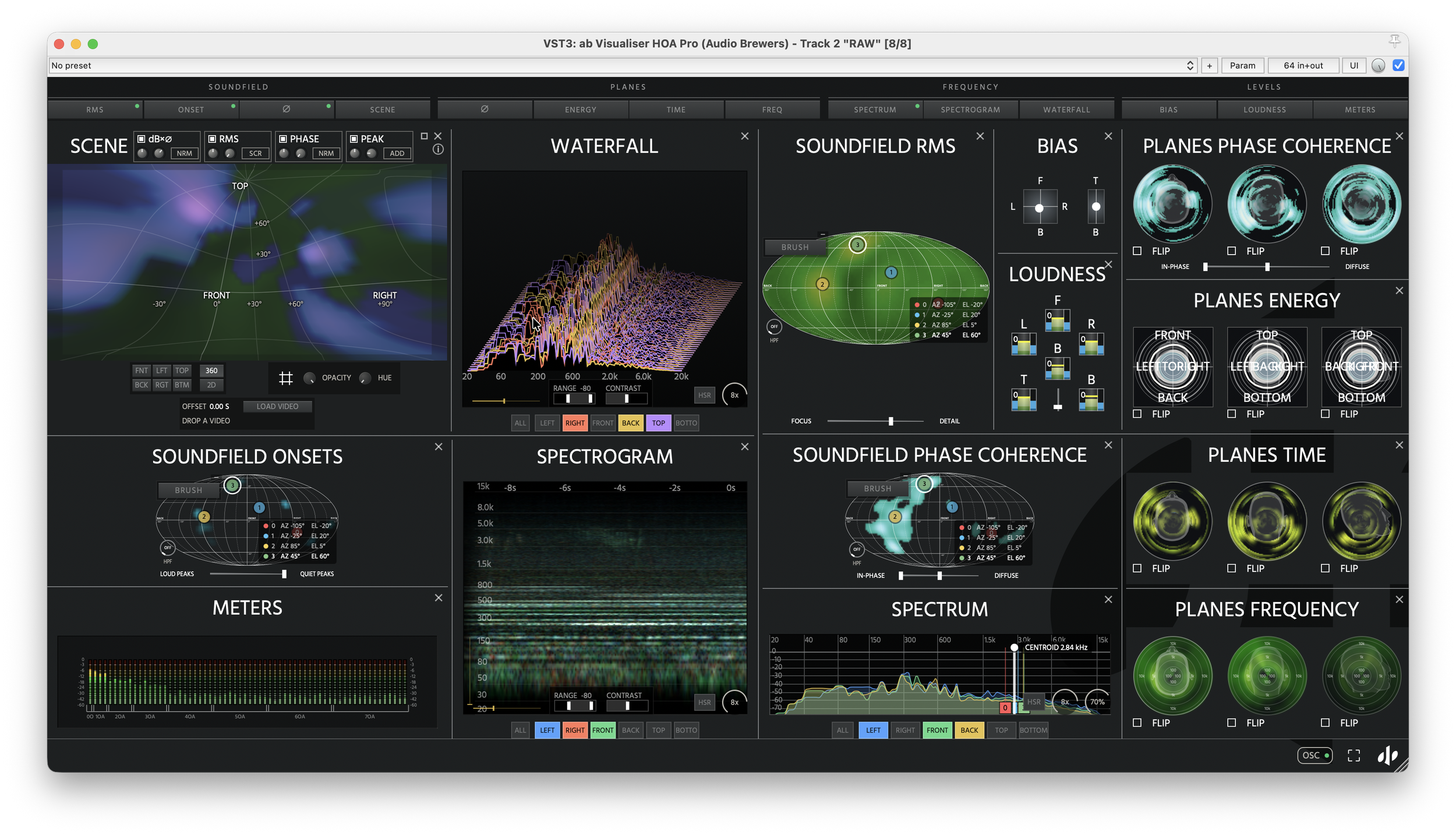
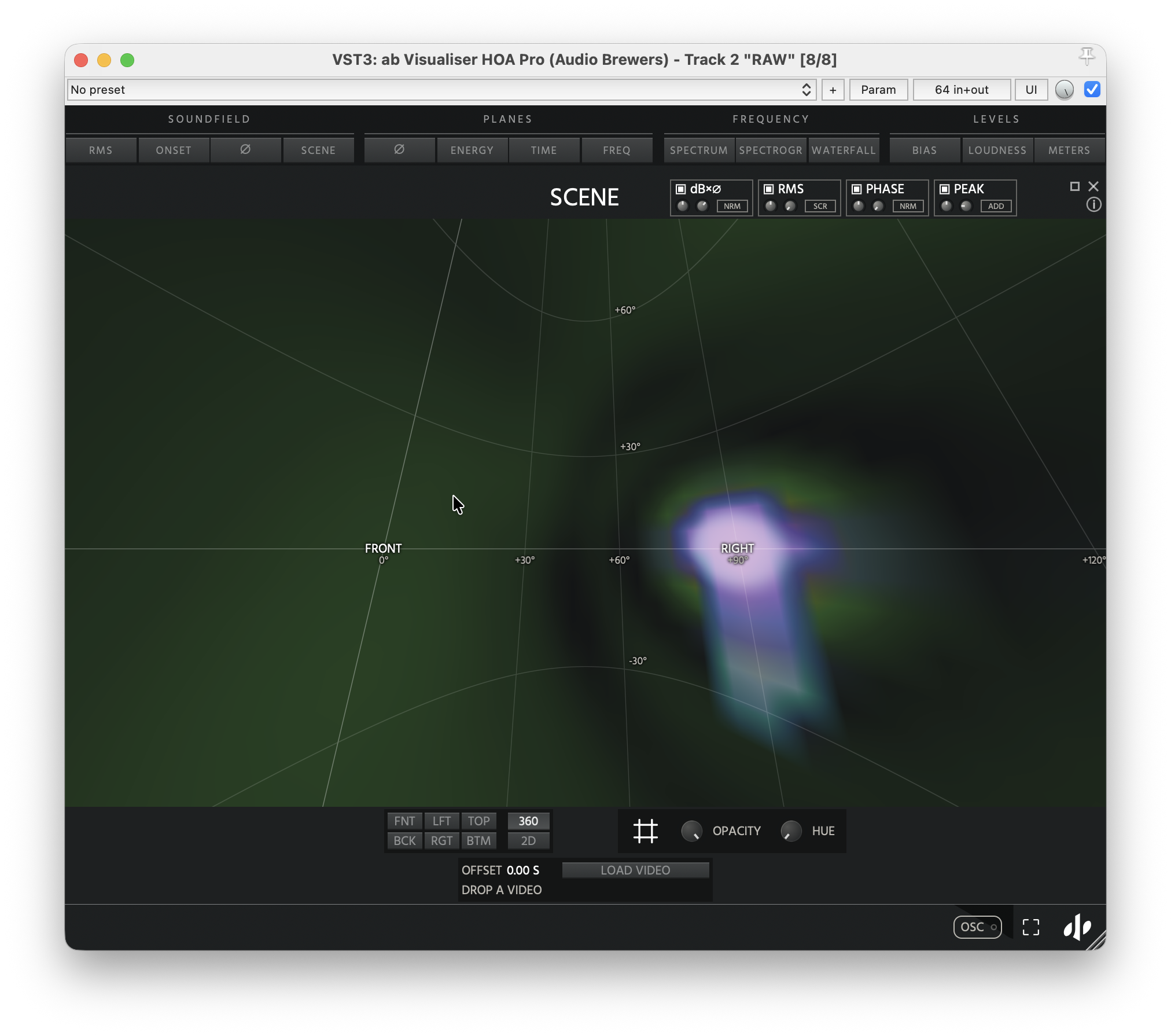
PRO Version
Soundfield Visualisers
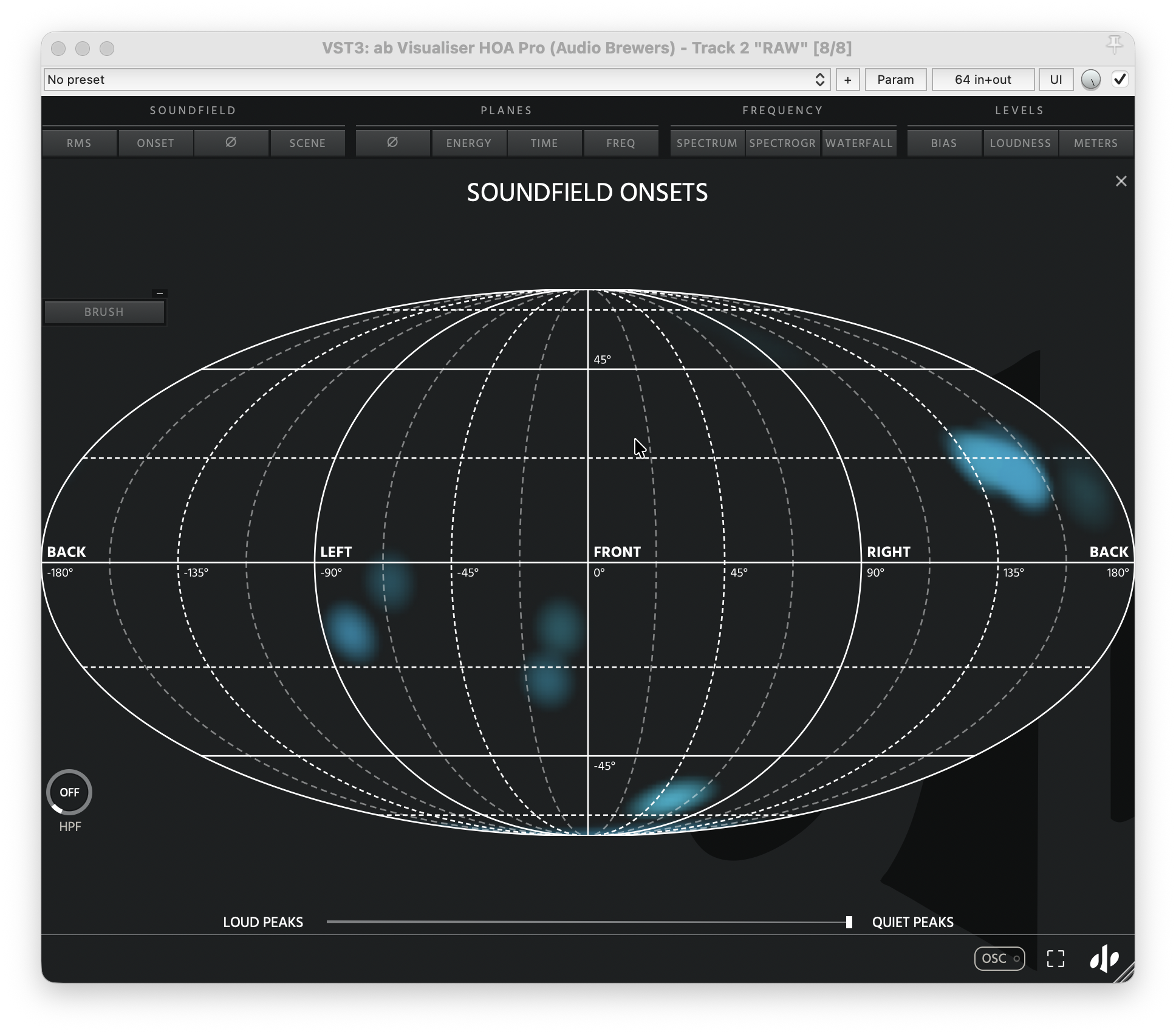
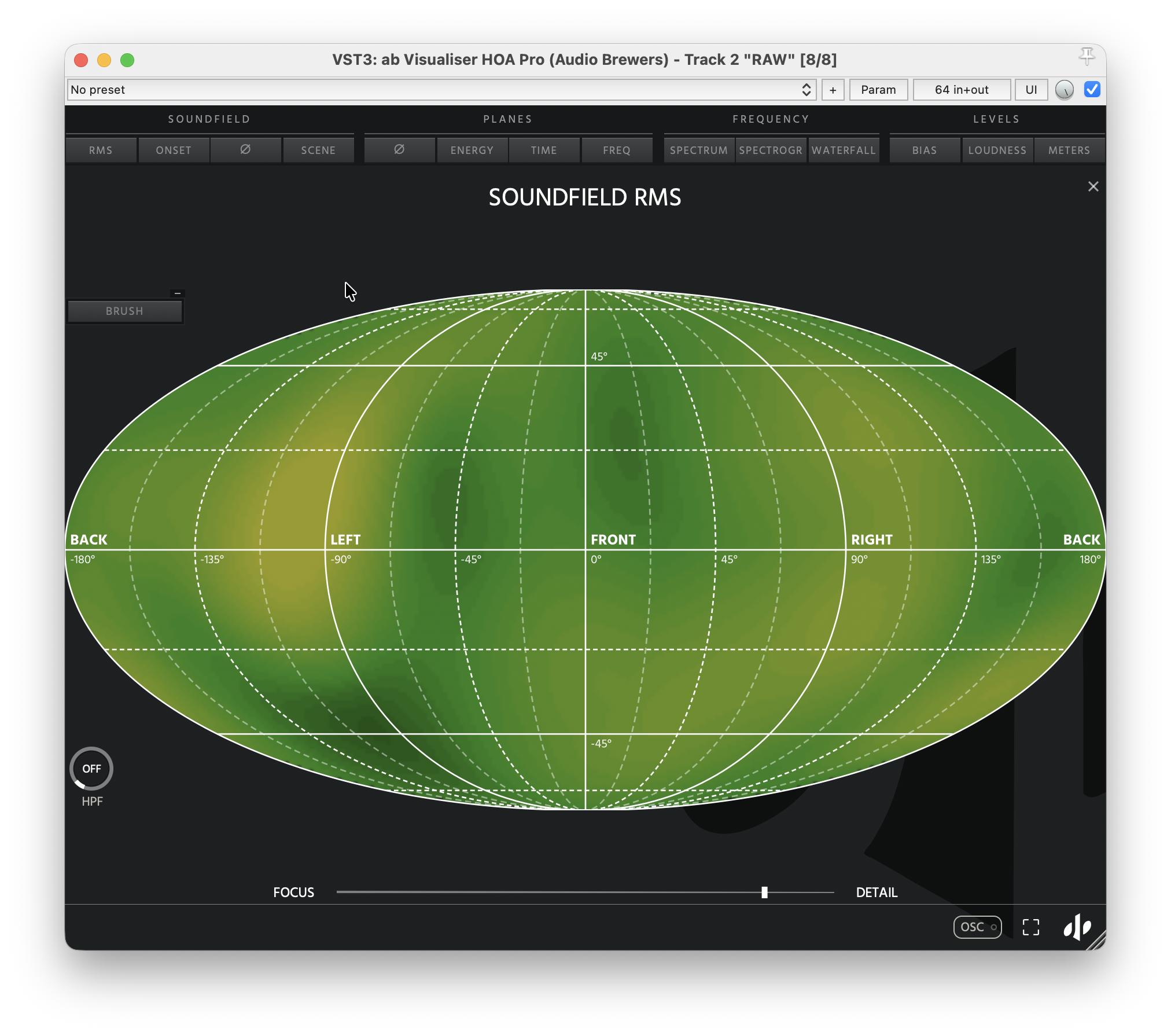
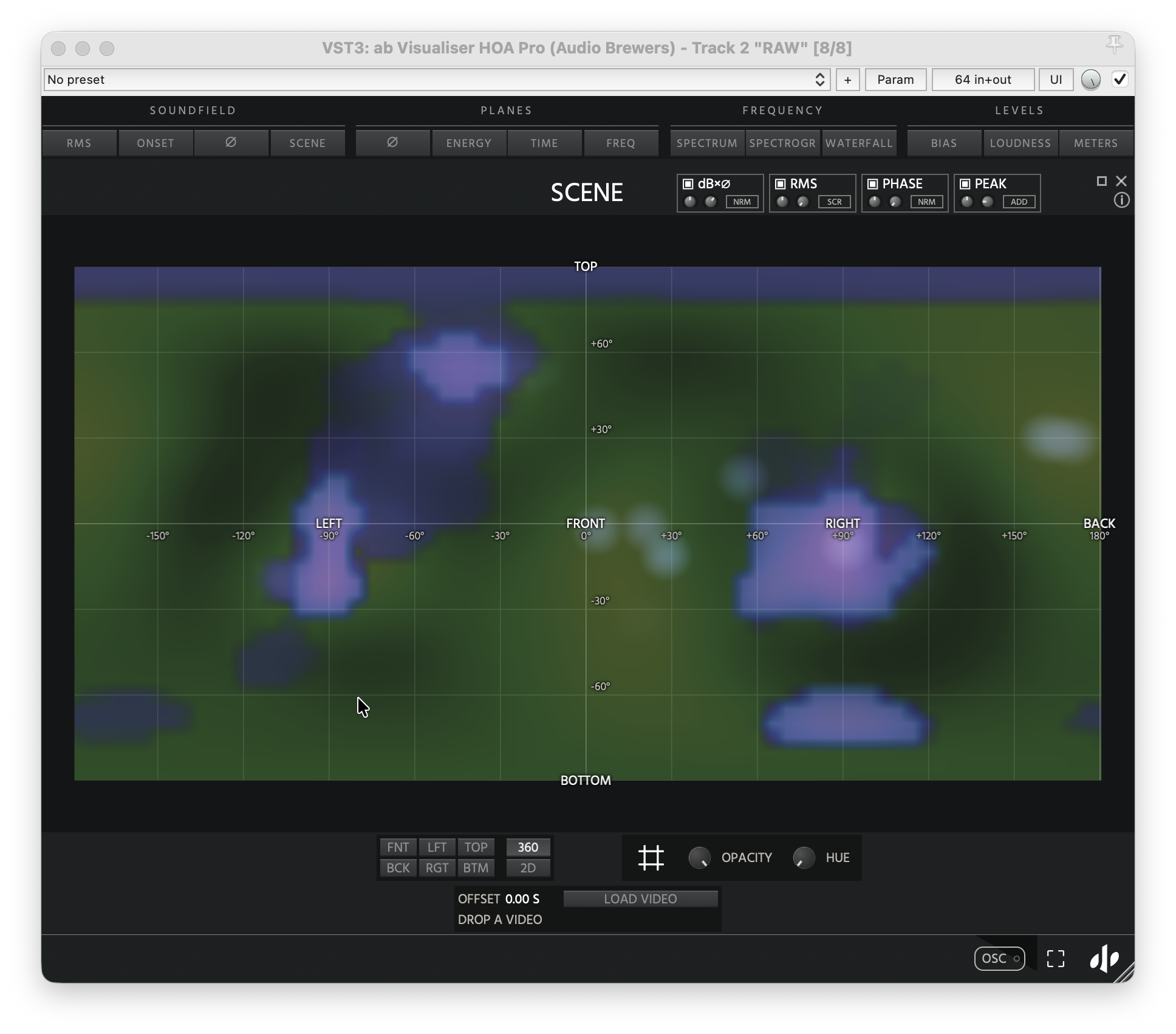
Explore your entire soundfield with real-time visualisations of spatial energy, transients, and phase coherence. Discover where sound originates, how it behaves, and how it interacts throughout your three-dimensional mix.
Planes Visualisers
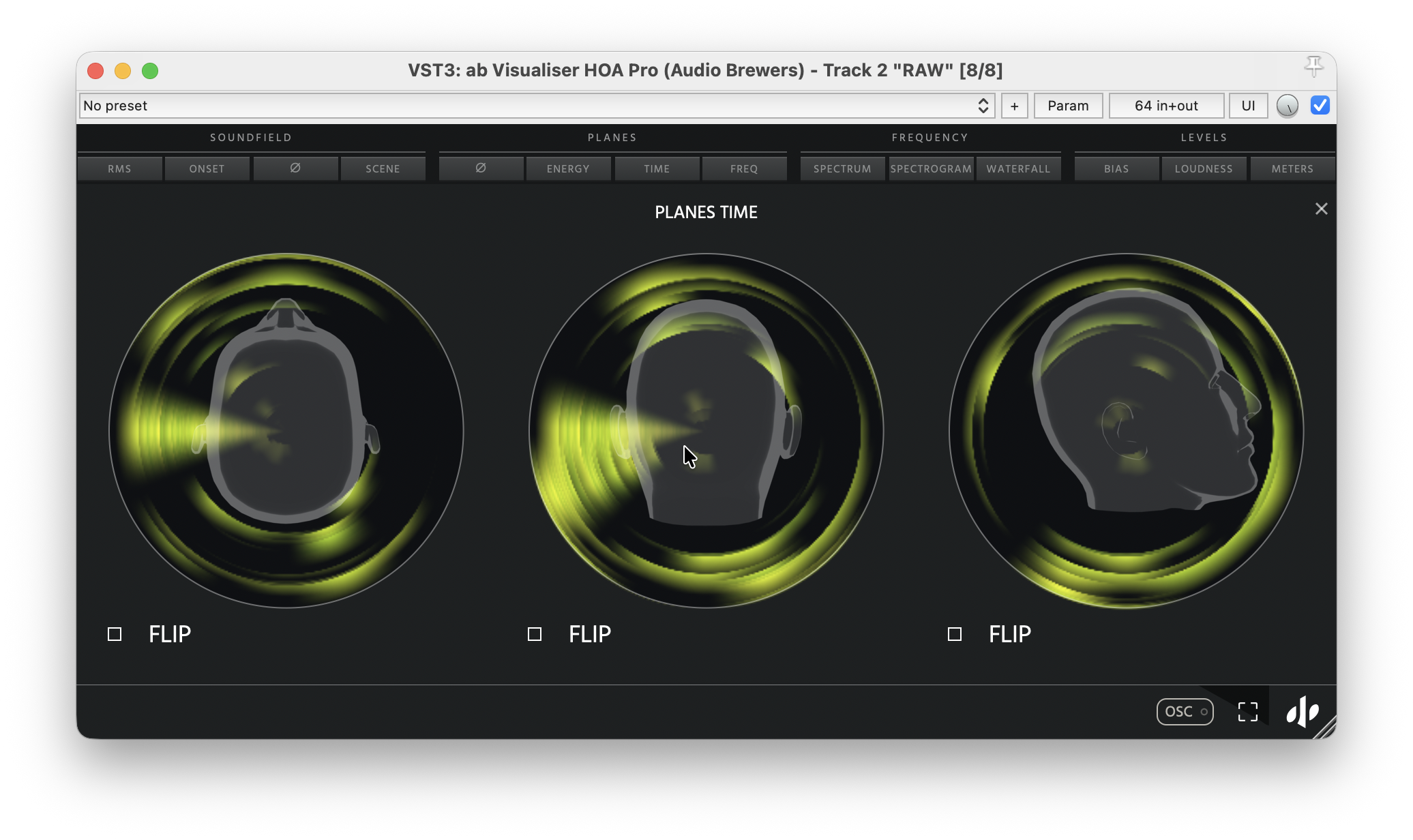
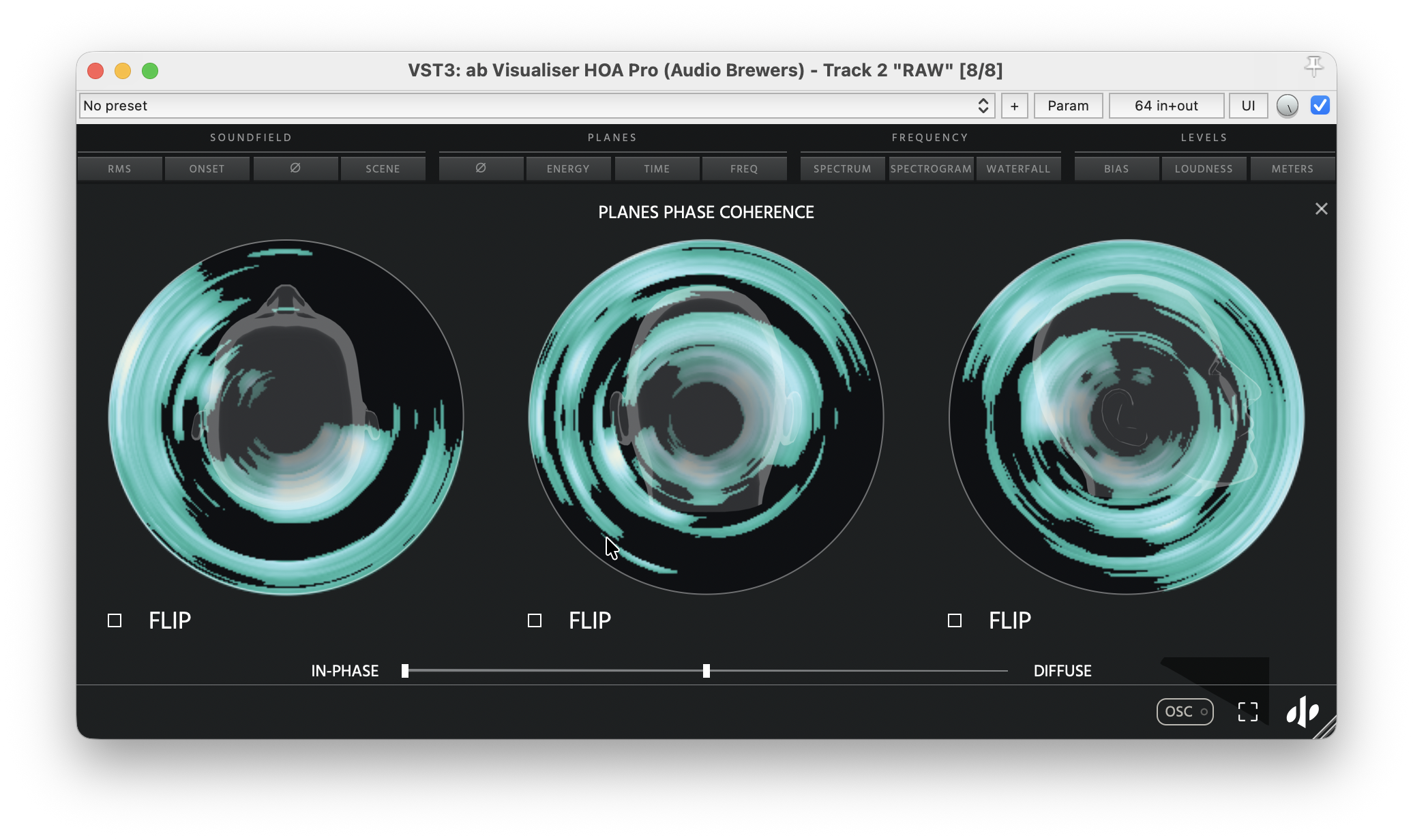
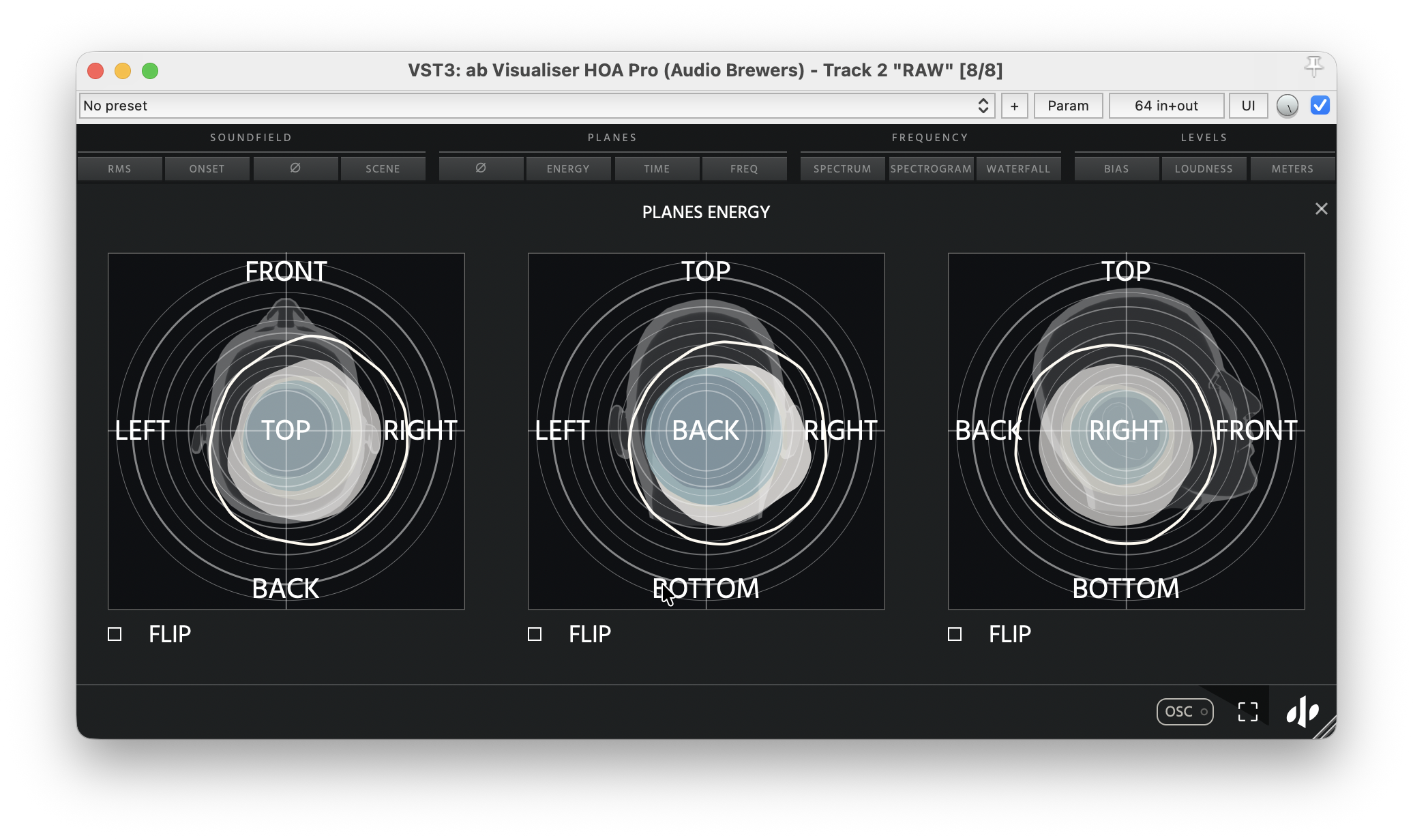
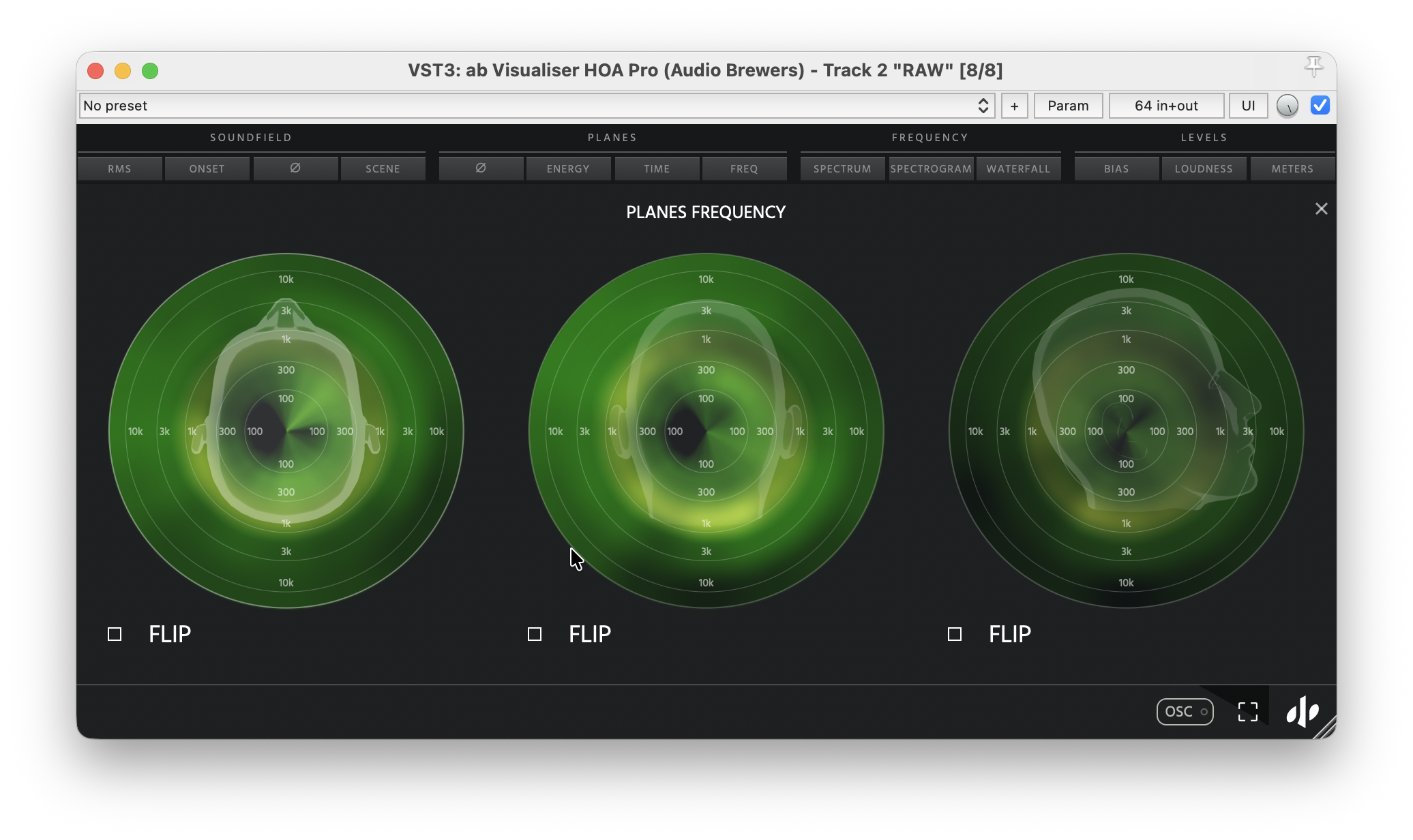
Dive into the horizontal and vertical planes of your soundfield. Visualise energy, frequency distribution, phase coherence, and their evolution over time to understand how sound moves and spreads around the listener.
Frequency Visualisers
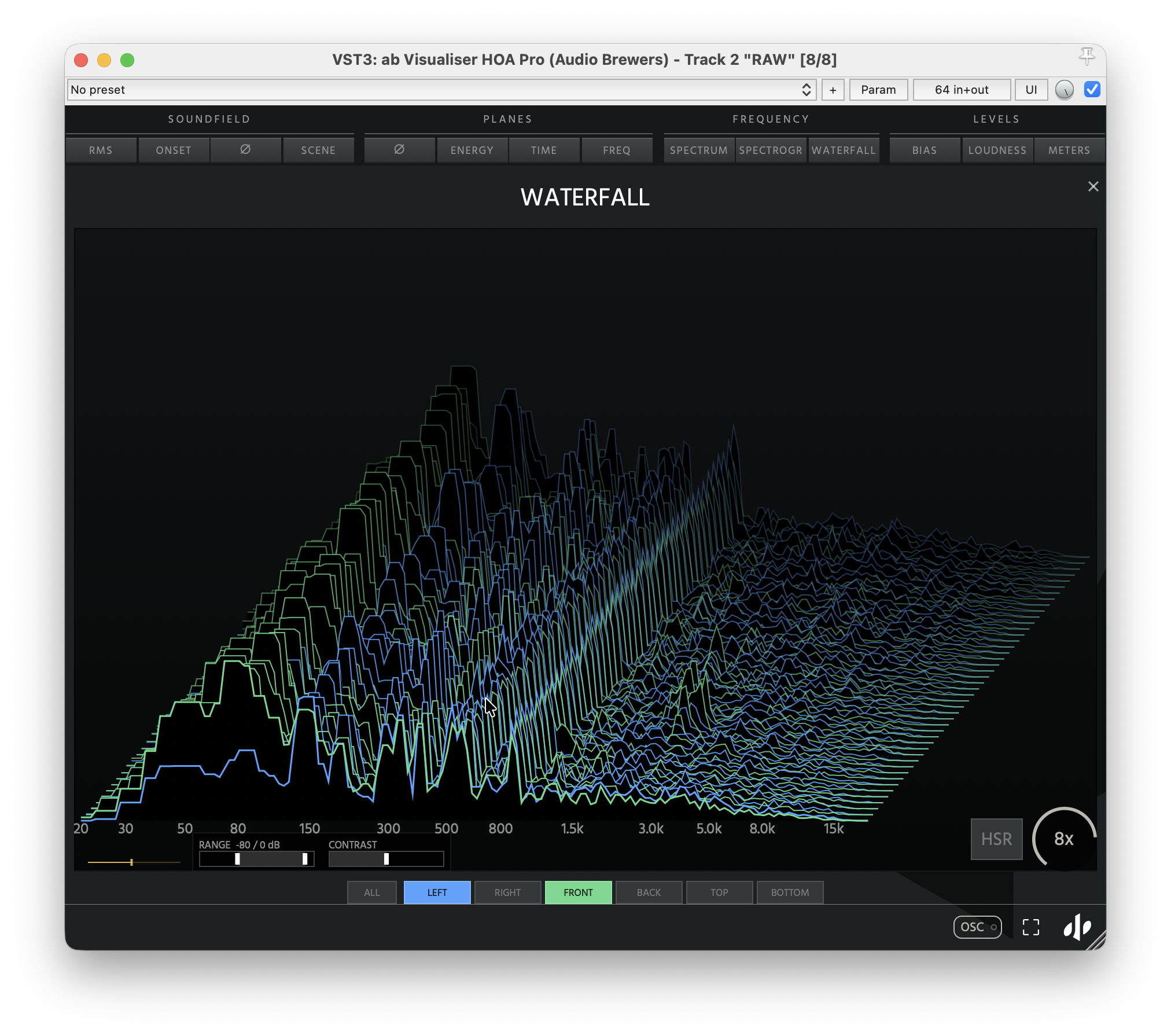
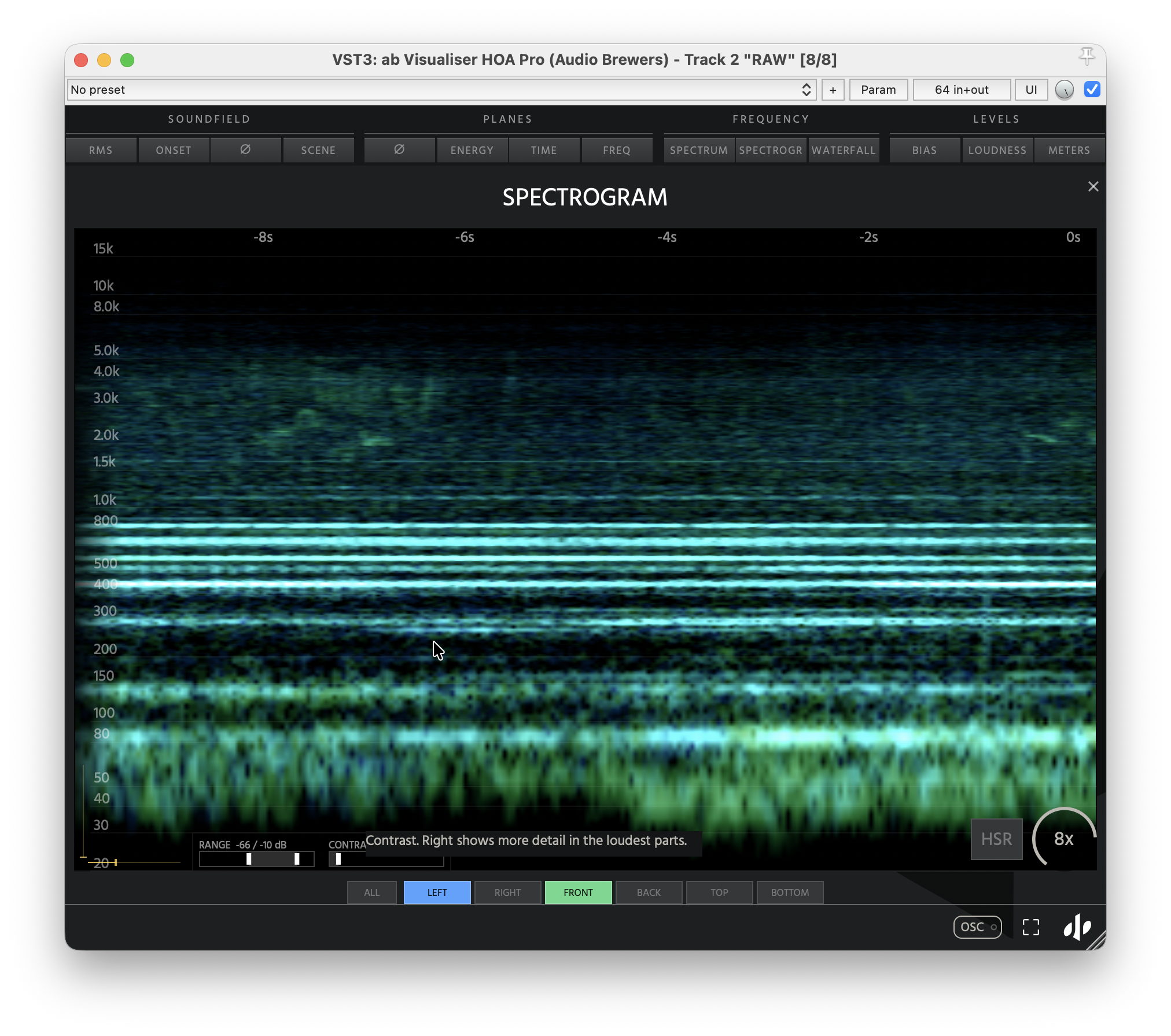
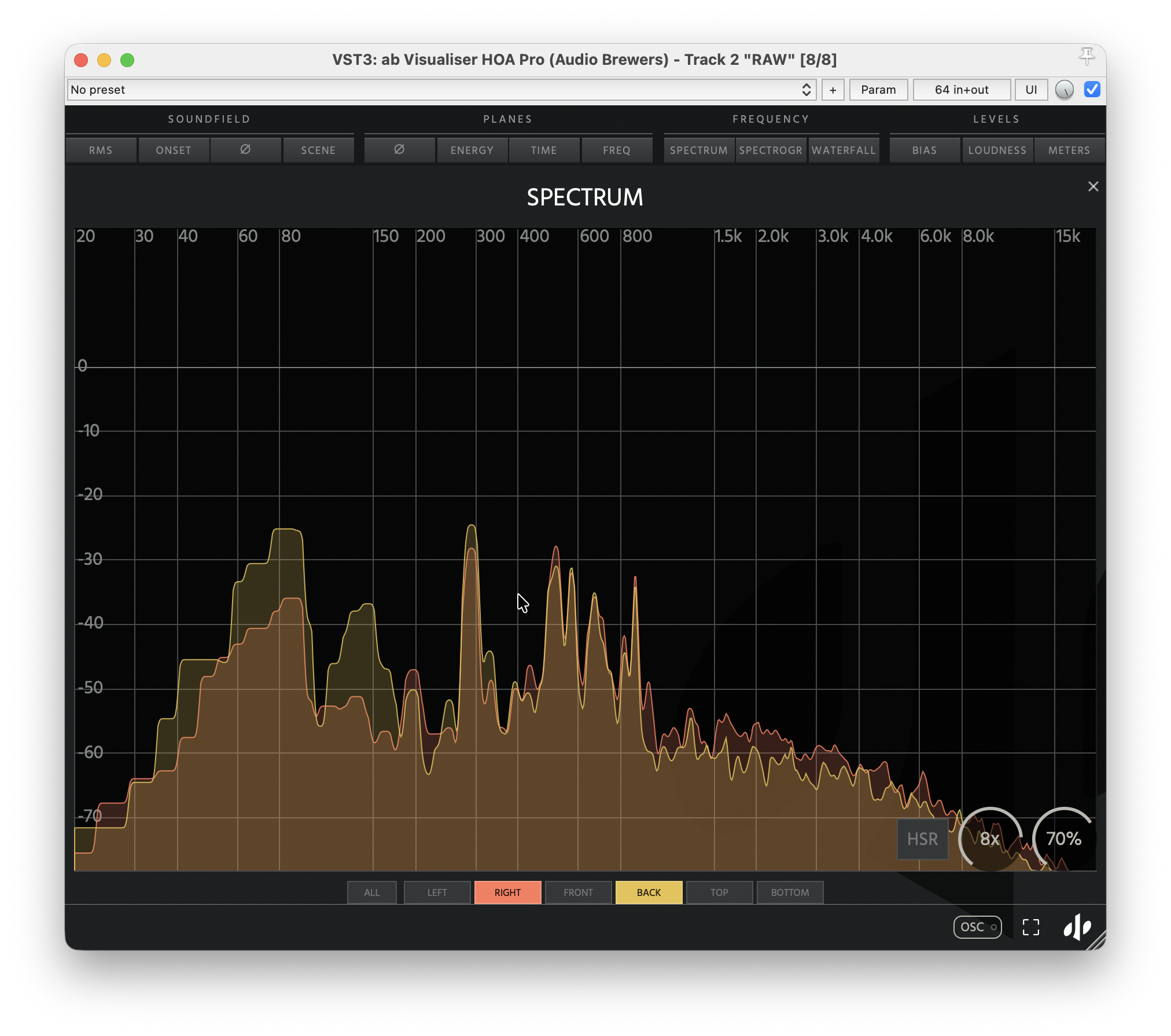
Explore the frequency content of your soundfield with Spectrum, Spectrogram, and Waterfall visualisers. Analyse individual directions or draw custom spatial regions to uncover spectral details that traditional analysers simply cannot reveal.
Levels Visualisers
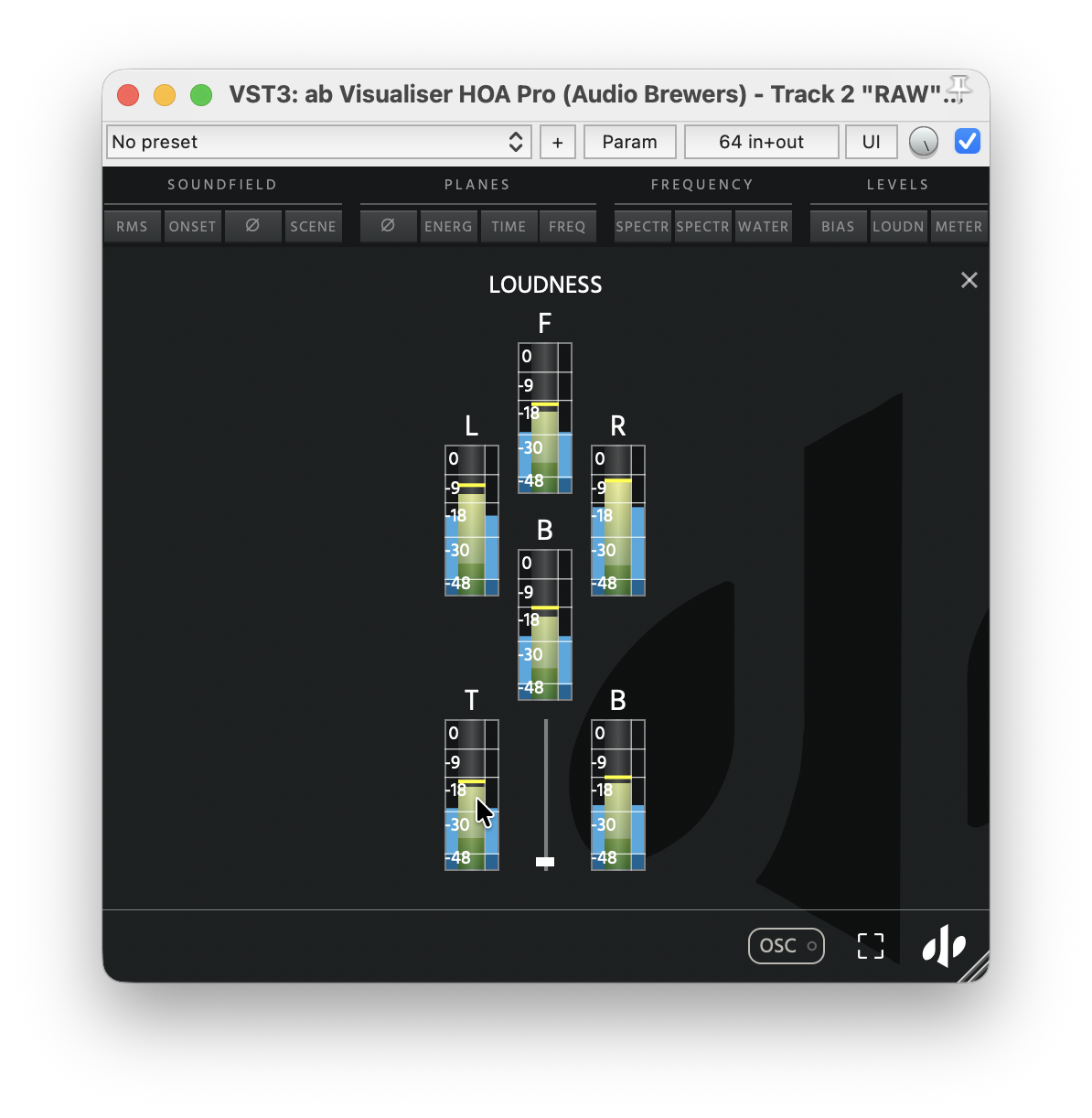
Monitor your soundfield with precise directional loudness meters, spatial balance indicators, and individual Ambisonics channel levels. Keep every dimension of your immersive mix under control.
BASIC Version
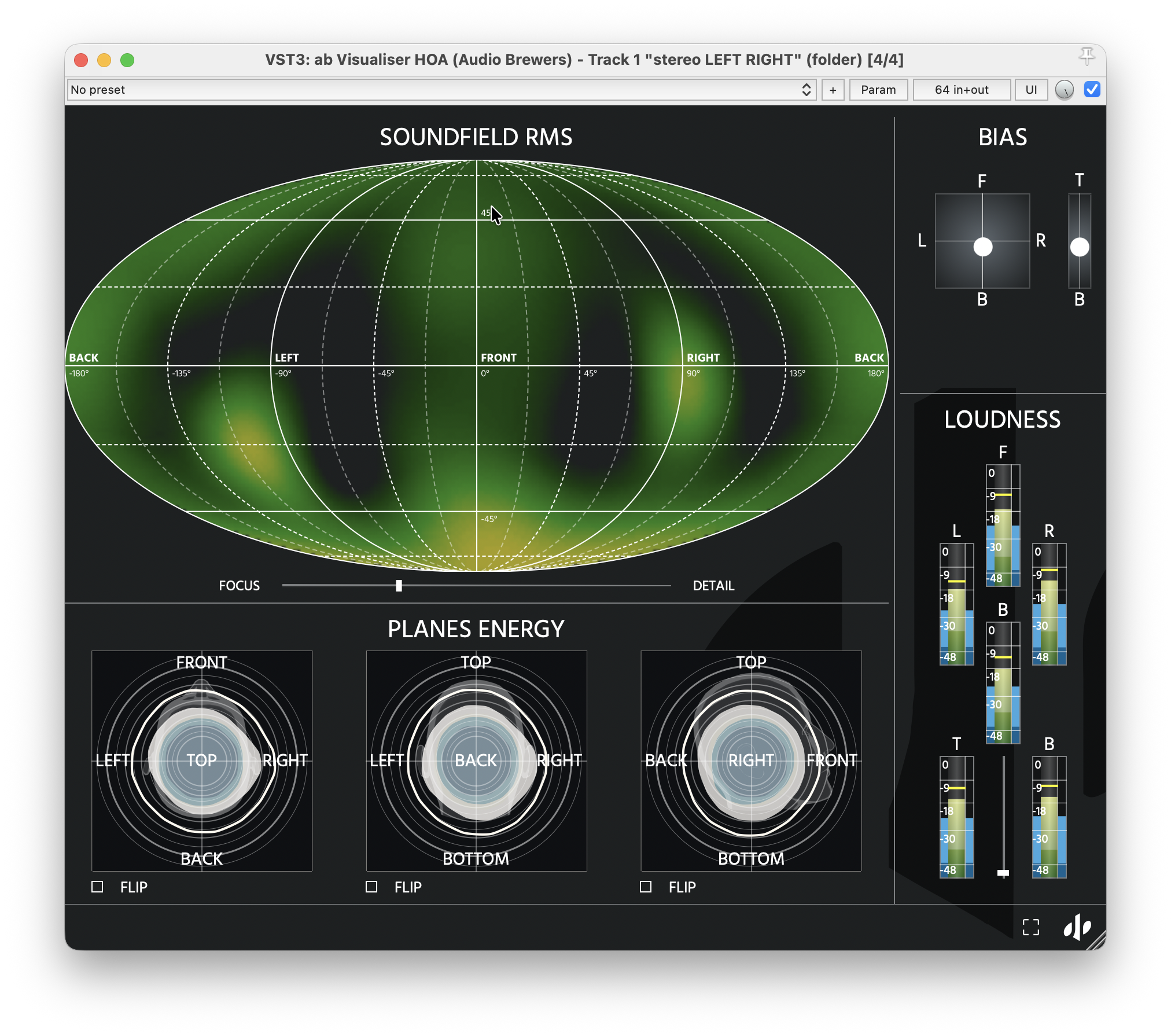
A Soundfield visualiser
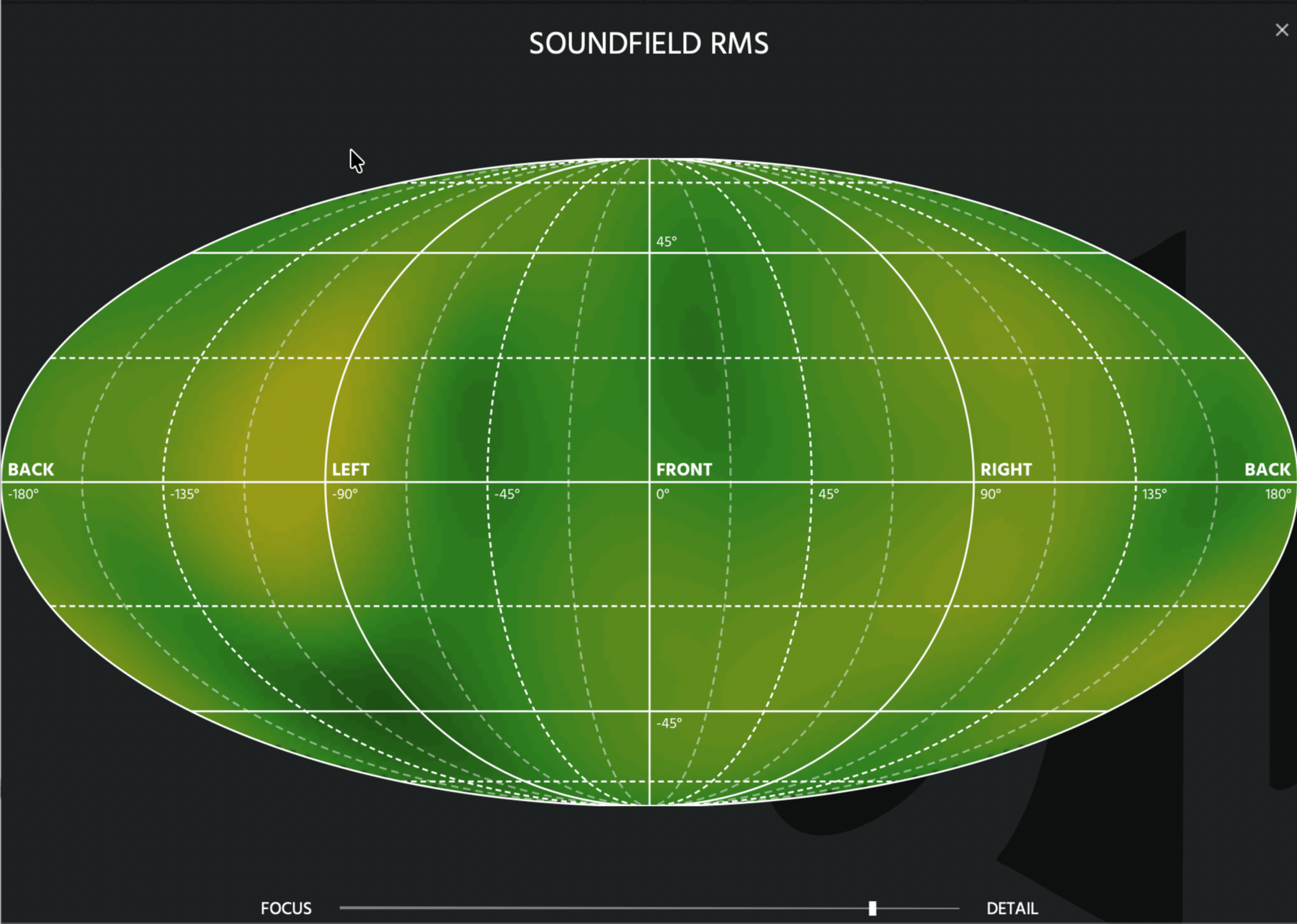
The Soundfield Visualiser works great to keep track of how sound distributes in the soundfield. The visualiser adapts to the sound loudness automatically and a unique slider allows the user to fine-tune the loudness range for more ‘broad’ or surgical visualisation.
Loudness Visualiser
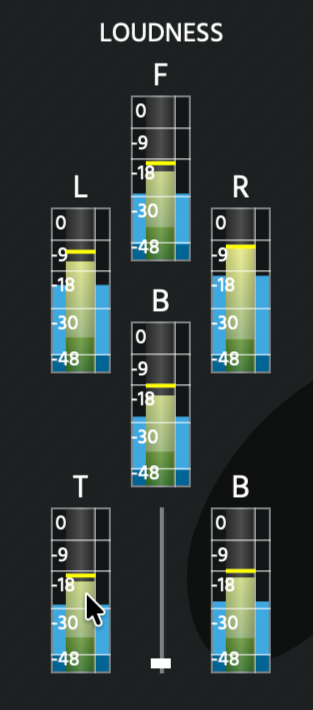
A Loudness Visualiser allows the user to keep track on the loudness of each dimensional pole (Left, Right, Front, Back, Top, Bottom). It features Peak, True-Peak and RMS visualisation.
Spatial Bias
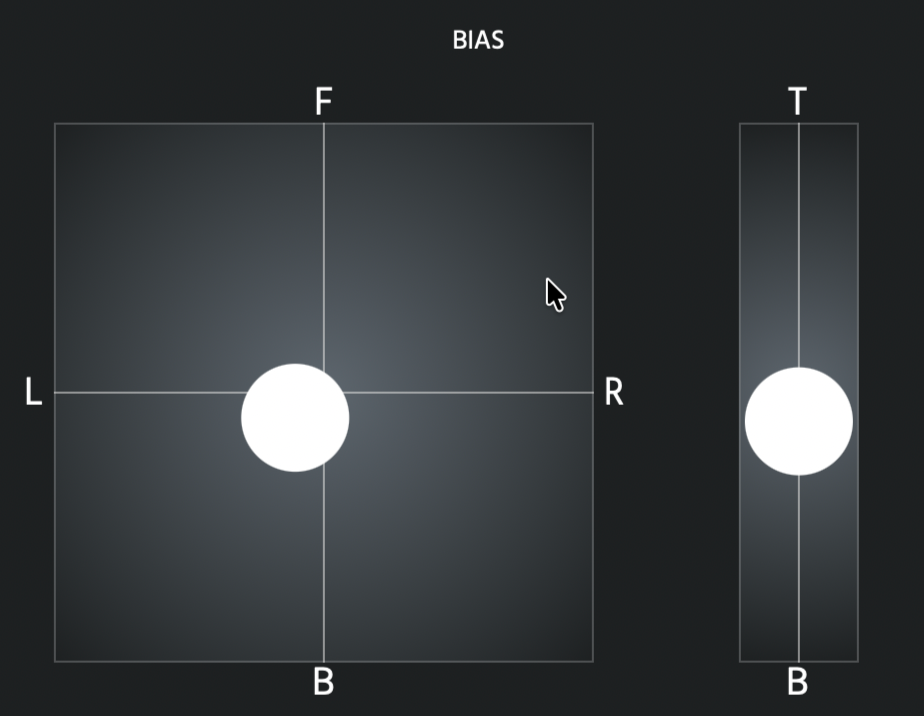
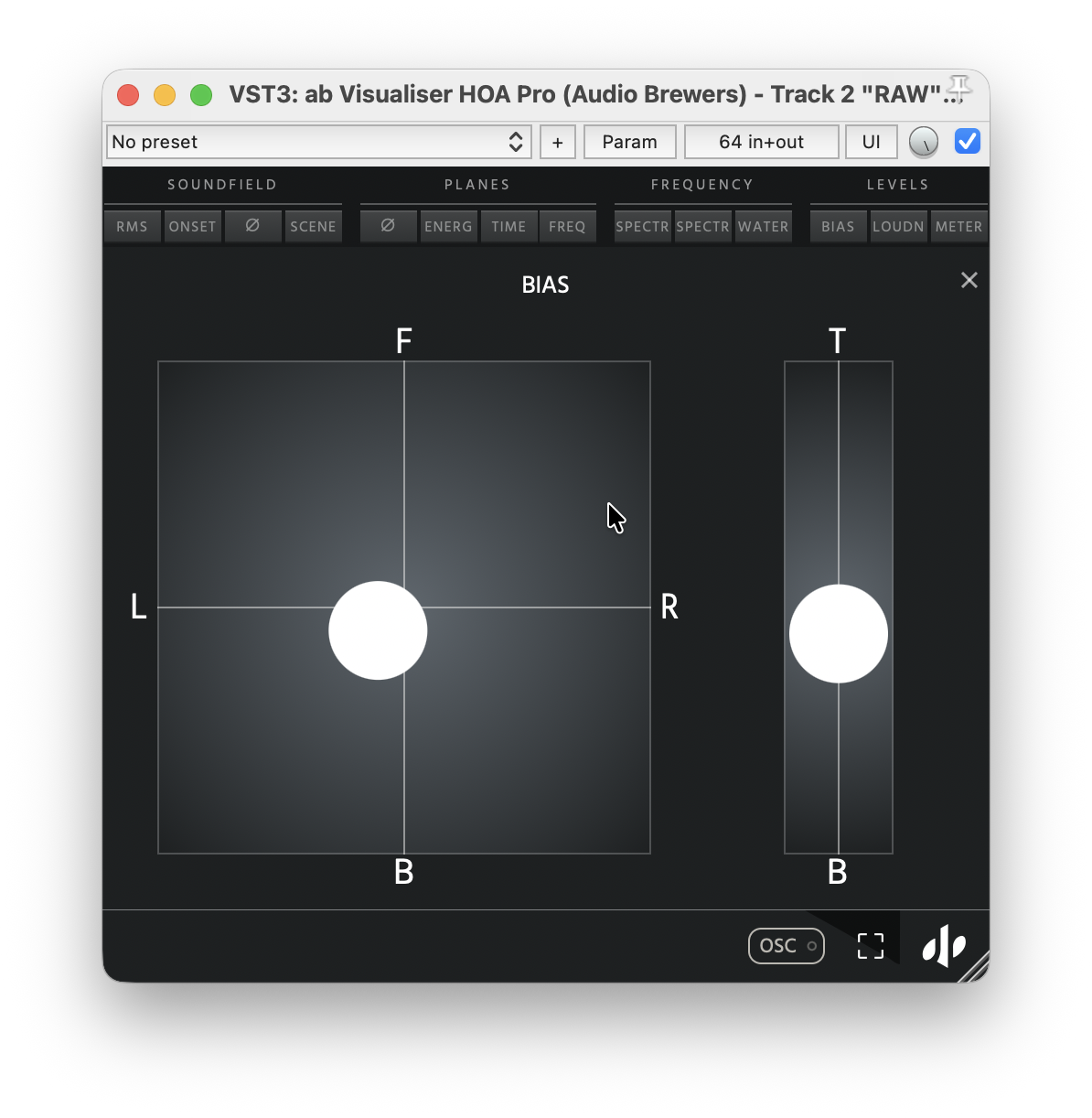
A Spatial Bias visualiser allows the user to get a visual grasp of where the sound dominates in the soundfield. A great tool for setting up Ambisonics Microphones before a recording session.
Energy Visualiser
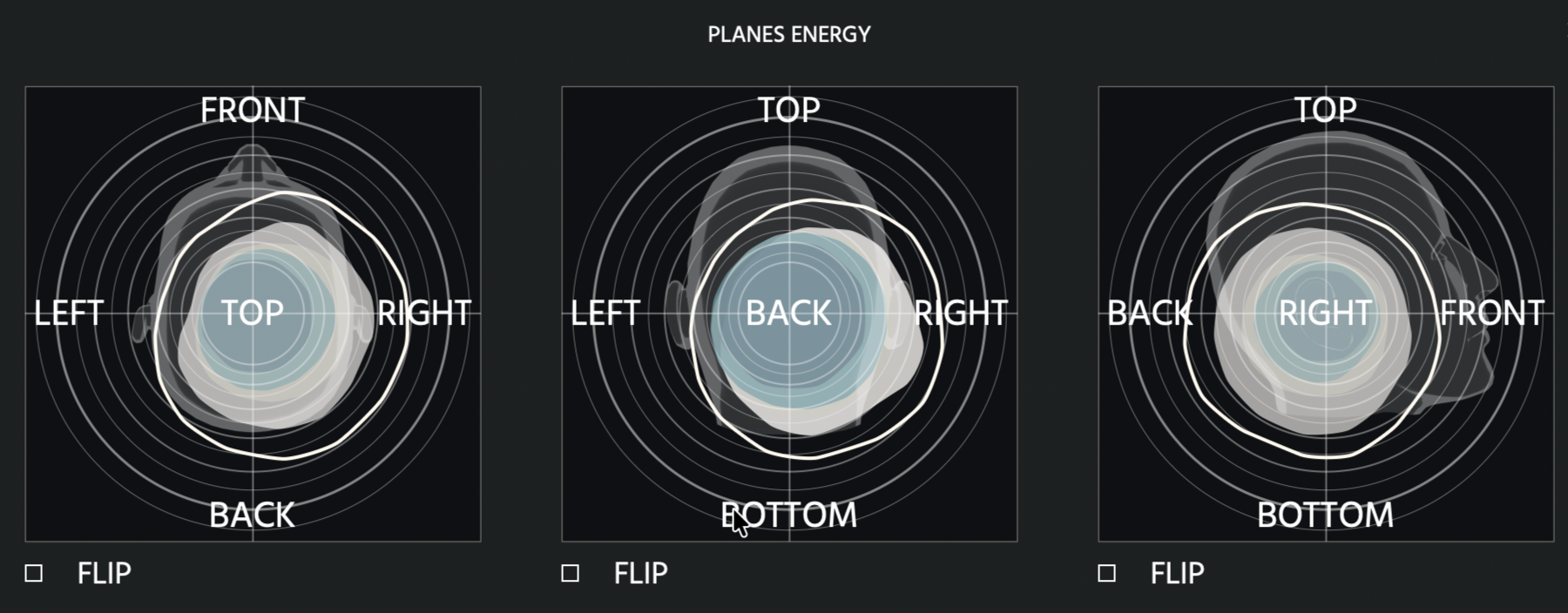
An Energy Visualiser allows the user to see the energy distribution around the listener per dimensional pole, perfect for keeping track on where sound sources are located.
‘ab Visualiser HOA’ videos and Walkthroughs
Pro (Coming Soon….)
Basic

User Guide
You can read an up-to-date User Guide by followig the button below.
Technical Specifications


Silicon (native) | Intel
High Sierra+
Intel | AMD
Windows 10+
CPU: i7+
RAM: 8GB+
HDD: 100MB
Compatibility Notes
Requires Pulse Downloader (click to download)
*This product is compatible only with Ambisonics signals, please refer to the list of supported DAWs below.
*This product is compatible with Ambisonics Signals from 1OA to 7OA, the highest Ambisonics order possible depends on the DAW support.
For working in Ambisonics Audio, this product is compatible with the DAWs below:
Pro Tools Studio | Pro Tools Ultimate
Cubase Pro 12+ | Nuendo 12+
Logic Pro X
Studio One 7+
Reaper 6+
MaxMSP
DaVinci Resolve Studio 20+
* AAX works in any Ambisonics Order up to 7OA in Pro Tools Ultimate 2023.6 and above. As of today, the other versions of Pro Tools are still limited to 3OA.
* VST3 is a tricky one! As the VST3.7.8 SDK slowly expands through all DAWs, some DAWs might still not be compatible with tracks above 16 channels, so while our plugins are ready, each developer might adapt their DAW at different timings.
For Reaper (latest version as of today), if you stick to either 4-channel (1OA), 16-channel tracks (3OA) or 64-channel tracks (7OA), everything should work perfectly fine!
For Presonus Studio One, up to 16-channel tracks (3OA) are currently supported (through a 9.1.6 Track).
* AU is still limited to 1OA due to Logic’s own limitations, sadly.